
ChessLounge — Play chess online for free

900–2600 Elo · 100% Free · No ads

Play now

ChessLounge is a place for relaxed chess — on your desktop, tablet, or phone. Play against a chess bot at your level, play chess online with a friend, or play two-player chess with someone beside you on the same device. Completely free and ad-free. Welcome to the lounge.
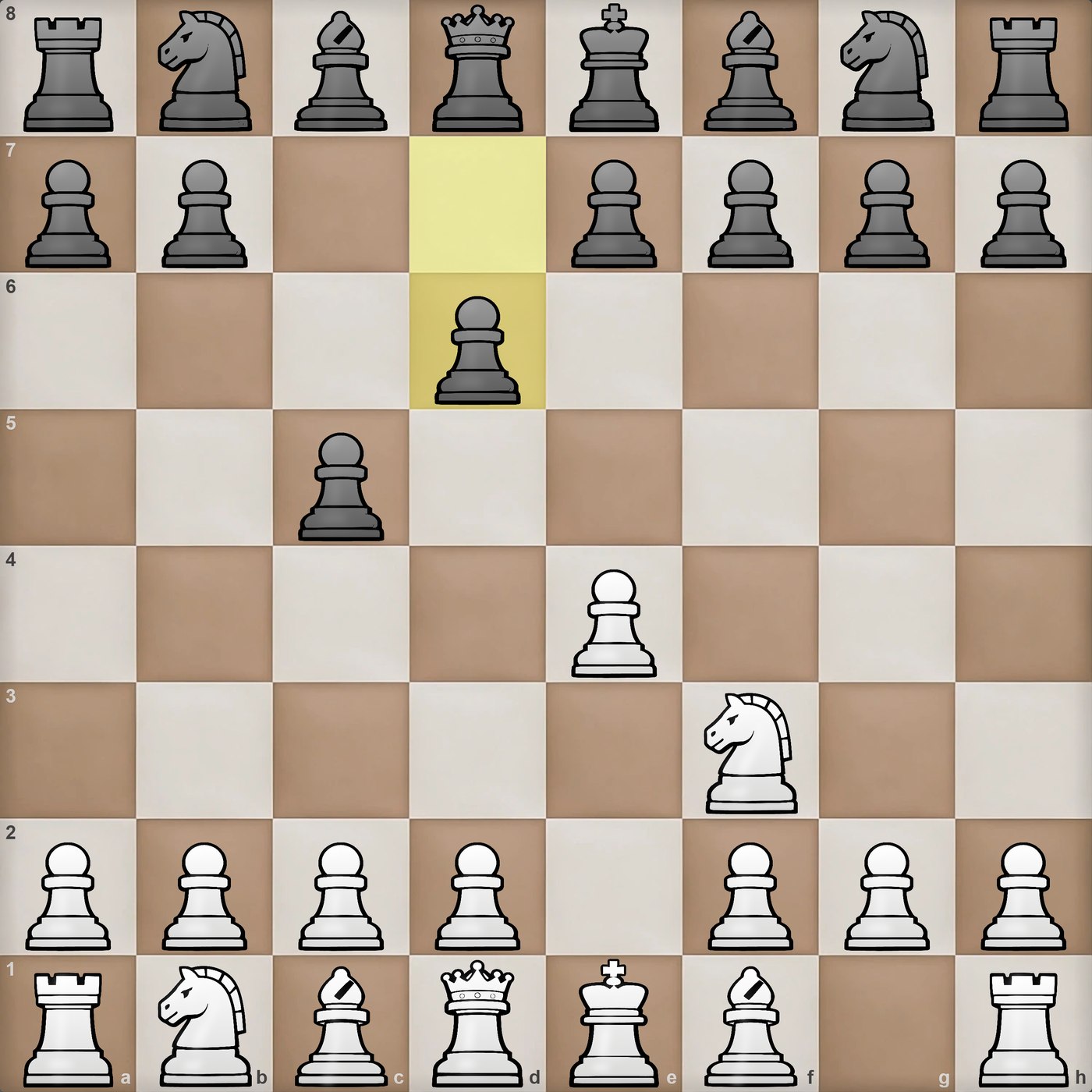
A ChessLounge game in progress: the Sicilian Defence after 2...d6

Live from the app — Sicilian Defence
Play chess against the computer — 35 levels

ChessLounge's own chess engine offers 35 levels, from 900 to 2600 Elo. Whether you're a beginner picking up chess for the first time or looking for a real challenge, there's always a chess bot at the right level for you.

Play against Stockfish 19

Want to go beyond 2600 Elo? Play against Stockfish 19 (1320–3190 Elo), available as an optional download.

A personal chess coach for beginners

Turn on the Coach: he warns you about risky moves or occasionally offers a tip. A relaxed way to learn chess, especially if you're just starting out.

Play chess online with a friend

No anonymous opponents. Create a private online room, give it a name and an optional password, and share them with a friend — a chat is built in. Or play two-player chess with someone beside you on the same device.

Works on every device — no download needed

Play in any browser on phone, tablet, or desktop, all with the same interface. Install the app for quick access if you like, and sync a game to the cloud to resume it on another device where you're signed in.

No cost, no ads, full privacy

No ads, no cookies, no hidden costs or paywalls. ChessLounge runs on voluntary donations. You don't even need to sign up.

Custom-built Chess Engine Tuned for players, not benchmarks
No registration required to play against the computer
Customizable Board, pieces & background

Frequently asked questions

Is ChessLounge really free?

Yes. Every feature is free, with no ads and no paywall. ChessLounge runs on voluntary donations.

Can I play chess against the computer without signing up?

Yes. Open ChessLounge and start a game — no account needed. An account is only required for rated games, online rooms, and cloud sync.

How do I play chess online with a friend?

Both of you create a free account. One of you opens ChessLounge Online and creates a room with a name (and a password if you like); the other joins with the same name. Then you play — and can chat — in your private room.

Can two people play chess on one device?

Yes. Choose “Hot seat” — two players, same device — and take turns on the same board. The board can flip automatically after every move.

What level should I choose as a beginner?

Start at one of the lowest levels, from 900 Elo, and turn on the Coach. You can change the level before every game.

Do I need to download anything?

No. ChessLounge runs in your browser. Installing it as an app is optional, and so is the Stockfish download.

Can I analyze games I played on Chess.com or Lichess?

Yes. Export the game as a PGN file and load it into ChessLounge's game analysis.

Enjoying ChessLounge?

It stays free and ad-free because of players like you.

Donate with PayPal

Install ChessLounge